· Tushar Pednekar
SynxDB Cloud on AWS Marketplace: Into Your Account, Not Ours
SynxDB Cloud is on AWS Marketplace as a bring-your-own-cloud offer: EKS, RDS and S3 provisioned inside your own AWS account. What that means, and what it costs.
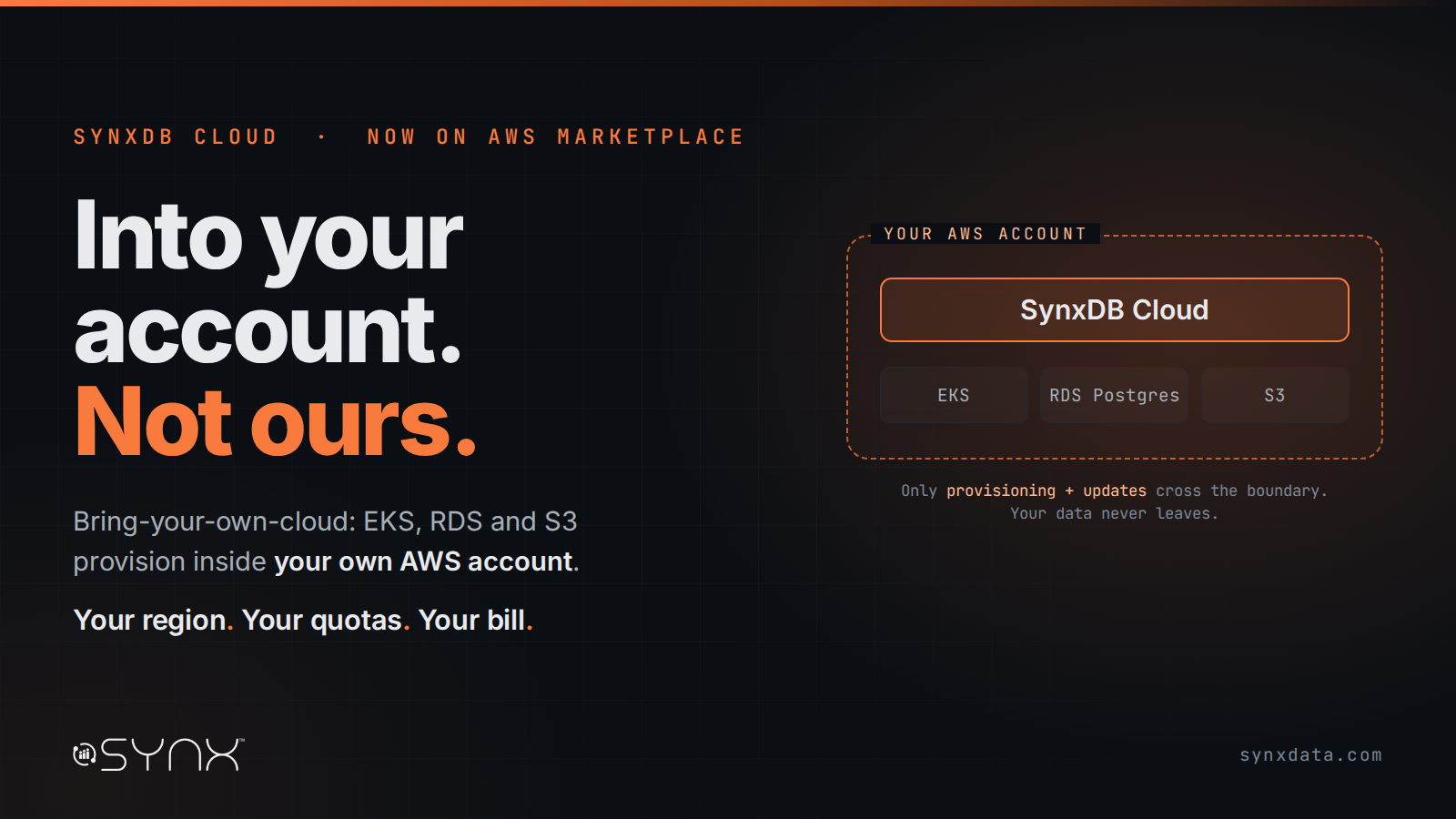
SynxDB Cloud is now available on AWS Marketplace.
The listing describes itself in three sentences: a PostgreSQL-compatible data warehouse that runs in your AWS account. Compute and storage scale independently. Your data stays in your account.
The news is small if you read it the way most database launch posts get read — another vendor put another warehouse in another marketplace. What is worth a longer read is the shape of the offer, because it is not the shape most data warehouses take when they arrive on a cloud.
SynxDB Cloud is listed as a bring-your-own-cloud (BYOC) offer. You subscribe through AWS Marketplace, and the deployment runs in your AWS account. Omnistrate provisions the EKS cluster, the RDS Postgres instance and the S3 buckets under your own account, in your own region, against your own quotas and your own bill. We do not hold your data. We do not host your cluster. There is no Synx-operated multi-tenant region that your rows travel to.
That is the whole announcement, and the rest of this post is the part that actually matters: what gets built when you click subscribe, why the architecture allows it, and what you should know before you assume it solves your problem.
Most “available on AWS” announcements mean the opposite of this
When a data warehouse announces cloud availability, it usually means one of two things.
The first is a managed SaaS region. The vendor runs the infrastructure, your data lands in their account, and what you get is a connection string. This is a genuinely good model — it is why Snowflake and BigQuery are what they are — and for most teams it is the right trade. You give up custody, and in exchange you never think about a node again.
The second is a self-managed install on EC2. You get a tarball or an AMI, and everything after that is yours: the cluster, the patches, the failover, the 3 a.m. page. Full custody, full operational weight.
BYOC is the awkward third option that a lot of enterprises actually want and rarely get offered cleanly. The control plane is operated. The data plane is yours. The software is provisioned, upgraded and monitored by tooling you did not write, but the buckets, the instances and the VPC are objects in your account that your own security team can see, tag, audit and, if it comes to it, turn off without asking us.
We chose it deliberately, and not because it is the easy path to ship. It is a harder support model than SaaS — every customer environment is a slightly different environment. We chose it because of who keeps ending up in our pipeline: financial services, payments infrastructure, telco, healthcare, public sector. Organisations where the question “where does the data physically sit and who has root on it” is not a preference, it is the first gate in the procurement process, and it is a gate no amount of SOC 2 evidence gets you through if the honest answer is “in our account.”
If your answer to that question is “I don’t care, just give me a warehouse,” SaaS is a better product than BYOC and you should buy one. This post is not aimed at you.
What actually gets provisioned
Here is the sequence, in the order it happens, so you can judge the claim rather than take it.
You subscribe to the SynxDB Cloud offer on AWS Marketplace and connect a cloud provider account. You pick a region — US West (Oregon) is the recommended starting region today — and start the deployment. Omnistrate then provisions, in your account:
- An EKS cluster. SynxDB Cloud runs fully inside Kubernetes. Every internal service is a Pod. First-time provisioning takes roughly 20–30 minutes.
- An RDS Postgres instance. This is the region database — platform-level metadata: tenants, accounts, user permissions. It is not where your business data lives.
- S3 buckets. This is where your business data lives. Object storage is the persistent layer of the warehouse, not a backup target bolted onto it.
You can watch the whole thing happen in your own AWS console. Refresh the EKS, RDS and S3 views and the resources appear. That is the point — there is no opaque step.
From there you get two consoles: an admin console for creating organisations, accounts, storage units and warehouses, and a user console your database users work in day to day. Your SQL clients connect over a standard connection string — psql, JDBC, whatever your BI tool already speaks — through a per-tenant SQL/TCP load balancer.
Two things to flag before you try this, because a launch post that omits them is a brochure:
The RDS instance is not optional for production. If a dedicated RDS Postgres database is not configured, the system falls back to an internal, non-persistent H2 database. That is fine for a test drive and unacceptable for anything you care about. Provision the RDS instance.
Configure a valid TLS certificate before external clients connect. The deployment will work without it. Your security review will not.
One note on how AWS categorises this. The Marketplace listing shows a delivery method of SaaS, which is the catalogue category the offer is sold under — it is not a description of the deployment topology. The software is operated as a service; the infrastructure is yours.
What it costs
The listing price is public, so there is no reason to make you ask for it.
A 12-month contract is $10,000 and includes 1,000 vCPU hours. Usage beyond that is $1.00 per vCPU hour, billed as overage.
Two things that follow from the BYOC model and are easy to miss:
- That is the software. The AWS infrastructure — EKS, RDS, S3, EC2, data transfer — is billed to you by AWS directly, on your existing account and your existing discounts. We do not resell it to you with a margin on top, which is the usual hidden cost in a managed warehouse bill.
- You can suspend. Accounts and warehouses can be suspended and resumed, which deactivates the associated compute without deleting the account or its data. For non-production environments that sit idle most of the week, that is the difference between a sensible bill and a surprising one.
The architecture that makes BYOC reasonable
You cannot cleanly drop a traditional MPP warehouse into someone else’s account and call it a service. The reason SynxDB Cloud can do this is the layering underneath.
SynxDB Cloud separates compute, storage and metadata into three independently scalable layers, which is the substantive difference between it and a classic shared-nothing MPP system.
The storage layer is shared object storage — S3 on AWS. All tenant business data persists there. Storage grows without touching compute.
The compute layer is stateless. Compute nodes cache data and metadata locally and run the query engine, but they hold no authoritative state. That statelessness is what buys the operational properties that matter:
- Scaling in seconds. Because nodes are stateless, adding or removing them does not require redistributing data. In a shared-nothing cluster, expansion means a data redistribution that you schedule for a weekend. Here it is an online operation.
- Workload isolation. You can run multiple independent compute clusters against the same shared storage. The overnight ETL job, the analyst’s ad-hoc query and the dashboard refresh can run in separate warehouses that do not contend for the same resources — and they read the same data, not three copies of it.
- Fault self-healing. A failed node is evicted and replaced from the resource pool online, precisely because it was not holding anything unique.
The metadata layer is an independent, unified metadata service — multi-coordinator, multi-node, persisted on FoundationDB. This is the piece most compute/storage-separation designs under-invest in, and it is why the catalog does not become the new bottleneck the moment you add a fourth compute cluster. It also enables things that are awkward elsewhere, like time travel on the catalog: querying historical state and recovering dropped objects.
One consequence worth naming for anyone automating this: warehouses can be created in SQL. CREATE WAREHOUSE is a statement, not just a console button, so compute provisioning goes into your DevOps pipeline alongside everything else rather than living in a UI somebody has to remember to click.
The engine is not new, and that is the argument
Everything above describes a cloud architecture. None of it would matter if the database at the centre were immature.
SynxDB Cloud uses Apache Cloudberry (Incubating) as its database kernel, modified for the cloud-native architecture described above. Cloudberry carries the Greenplum lineage forward on a PostgreSQL 14 base, and I should disclose my position here plainly: I am a PPMC member on the Apache Cloudberry (Incubating) project, and Synx Data Labs has a commercial interest in this. Read the technical claims with that in mind and check them against the project’s own documentation, which is public.
The practical consequence for anyone running Greenplum today is that the migration is mostly a data synchronisation exercise rather than a rewrite. Most DDL, most ETL and most application logic carries across unchanged. The exceptions are real and narrow — resource queues, some external table definitions, extension coverage — and we publish them rather than discovering them with you in week three.
It also means the feature surface is ahead of where the Greenplum lineage stopped. A partial list of what is present in SynxDB Cloud and not in Greenplum 7 Beta.3: hash-partitioned tables, UPSERT, COPY FROM WHERE, JSONB subscripting, recursive CTEs with SEARCH and CYCLE, procedure OUT parameters, automatic coordinator failover, aggregation pushdown, query parallelism, incremental sort, runtime filters for joins, transparent data encryption, row-level security policies and SCRAM-SHA-256. And Kubernetes deployment — which, given everything above, is the entry on that list doing the most work.
Compatibility is what makes the migration cheap. Divergence is what makes it worth doing. Those are two separate arguments and both have to hold.
Data and AI in the same engine, on the same permission model
The reason we care about being in your AWS account is not only governance theatre. It is that the workloads customers now want to run against a warehouse increasingly involve data that has historically lived somewhere else.
SynxDB Cloud treats unstructured data, full-text search, vector search and in-database AI functions as native capabilities of the engine rather than adjacent products joined by pipelines. Directory Tables make files first-class objects the catalog knows about. Vector types and operators live in the same tables as your facts. Full-text indexing is a real index access method the planner can choose. AI functions are callable in SQL and compose into ordinary queries.
The test for whether any of that is native rather than bolted on is simple, and you can run it yourself on day one: does the planner know about it? A B-tree filter, a full-text match and a vector ranking in a single statement — one planner, one transaction, one permission check — is the demonstration, and it either works or it does not.
Two honest caveats. The in-database AI capabilities are marked experimental in the current release line, and the machine learning integration requires an associated SynxML cluster, which is a real prerequisite and a real setup cost. We have written this up in depth in a separate series rather than compressing it into a launch post; the links are at the end.
When that engine runs in your own account, on your own S3, the AI story stops requiring a conversation about which third party your proprietary documents were embedded by. For several of the industries we sell into, that is the difference between a project and a memo explaining why the project did not happen.
What we are not claiming
A launch post that only contains good news is not information. So:
This is a young release line. SynxDB Cloud is at v0.6.0. The engine lineage is mature; the cloud product around it is not yet at 1.0, and the release notes show a platform still adding foundational capability.
Some of the setup is still hand-finished. Console URLs are currently obtained by contacting the support team rather than appearing directly in the customer portal. Default admin credentials must be changed immediately after first login. These are the rough edges of an early listing and we would rather you hear them from us.
Region coverage is starting narrow. US West (Oregon) is the recommended region today. If you need a specific region for residency reasons, ask before you plan around it.
Observability is partial. Service metrics collection is in place via Prometheus across the core services, but a monitoring dashboard is not yet available in the console. If you have an existing observability stack, that is currently the better path.
BYOC means you own some operational surface. The EKS cluster, the RDS instance and the S3 buckets are in your account, which is the entire point, and it also means your cloud team has objects to tag, budget and govern. That is a trade, not a free lunch.
Where this goes next
The AWS Marketplace listing is the first of two steps. We are running pre-release proofs of concept now with teams who want to put this against a real workload before it is a general-availability product, and we are launching the full AWS SaaS offer at AWS re:Invent, 30 November – 4 December 2026, in Las Vegas.
If you are running Greenplum and the migration keeps getting deferred because it looks expensive, a PoC is the cheapest way to find out whether it actually is. If you are evaluating warehouses and data custody is a gate rather than a preference, the BYOC model is worth an hour of your architect’s time.
And if you just want to look at it without talking to anyone, the listing is on AWS Marketplace and the documentation is public. That is deliberate too.
Tushar Pednekar is co-founder of Synx Data Labs. He is a PPMC member of Apache Cloudberry (Incubating); Synx Data Labs has a commercial interest in the technologies described here. Apache Cloudberry is an effort undergoing incubation at The Apache Software Foundation.
Related Resources
- SynxDB Cloud on AWS Marketplace — the listing
- SynxDB Cloud documentation — deployment, architecture and release notes
- Greenplum to Cloudberry migration guide — what carries over, and the exceptions
- Apache Cloudberry vs Greenplum: the 16 capabilities that diverged
- The SynxDB Cloud Data + AI series — Directory Tables, full-text search, vector search and AI functions in one engine
Get started free · Read the docs · Talk to us